
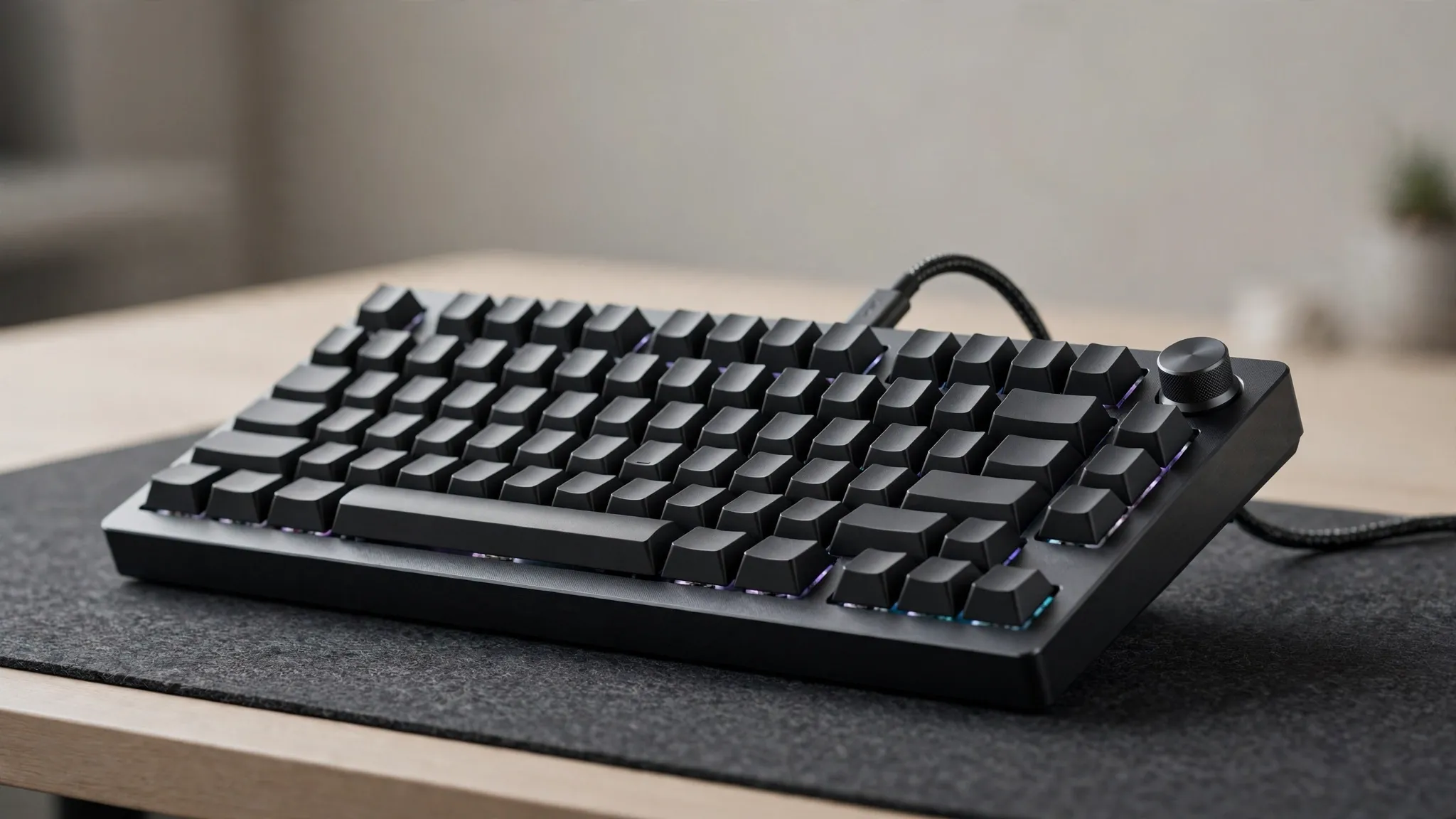
Keychron Q1 Max Review: A Premium Wireless Mechanical Keyboard
The Keychron Q1 Max is a 75% wireless mechanical keyboard designed for users who want a premium typing experience without giving up gaming performance.
It combines a CNC-machined aluminum body, Gateron Jupiter switches, double-shot PBT keycaps, a double-gasket mounting design, QMK customization, 2.4GHz wireless connectivity and a 1000Hz polling rate. It also supports Bluetooth 5.1 and wired USB-C connectivity.
Unlike many gaming keyboards that focus heavily on RGB lighting and aggressive styling, the Q1 Max takes a more refined approach. It is equally suited to gaming, programming, office work and everyday typing.
One of its biggest advantages is flexibility: the keyboard is hot-swappable, supports QMK customization, works with Windows, macOS and Linux, and can connect to multiple devices over Bluetooth.
Quick Verdict
The Keychron Q1 Max is an excellent choice for users who want a substantial, customizable mechanical keyboard that can handle both productivity and gaming.
Its aluminum construction gives it a very solid feel, while the double-gasket design, acoustic foam and PC plate are intended to create a softer and more controlled typing experience.
The 2.4GHz connection with a 1000Hz polling rate also makes it considerably more suitable for gaming than a keyboard that relies only on standard Bluetooth. Bluetooth remains available for multi-device productivity, while USB-C provides a wired option.
The biggest drawback is its weight. At roughly 1.72kg fully assembled, this is not a keyboard designed to travel frequently.
Best For
Mechanical keyboard enthusiasts
Gamers
Programmers
Writers
Content creators
Office users
Users who want extensive customization
Main Strength
Premium build quality combined with excellent connectivity and customization.
Main Weakness
Heavy and relatively large for a 75% keyboard.
Key Specifications
Specification Keychron Q1 Max
Layout 75%
Body CNC-machined aluminum
Switches Gateron Jupiter
Keycaps Double-shot PBT
Plate Polycarbonate
Mounting Double-gasket
Stabilizers Screw-in PCB stabilizers
Backlight South-facing RGB
Wireless 2.4GHz
Bluetooth Bluetooth 5.1
Wired USB-C
Polling Rate 1000Hz via 2.4GHz/wired
Bluetooth Polling Rate 90Hz
Battery 4000mAh
Wireless Runtime Up to 180 hours with backlight off
RGB Runtime Up to 100 hours at lowest brightness
Hot-Swappable Yes
NKRO Yes
Firmware QMK
Configuration Keychron Launcher
MCU ARM Cortex-M4 STM32F402
Compatible OS Windows, macOS, Linux
Width 145mm
Length 327.5mm
Weight Approx. 1724g fully assembled
Specifications are based on Keychron’s current Q1 Max documentation; exact keycap/switch configuration can vary by version.
Design and Build Quality
The Q1 Max is built around a CNC-machined aluminum body, which immediately separates it from many conventional plastic mechanical keyboards.
Keychron describes the aluminum body as being processed through multiple machining and finishing stages to create a rigid chassis.
The result is a keyboard that feels substantial on a desk.
The weight also helps keep it from moving around during aggressive typing or gaming.
However, there’s a trade-off.
At approximately 1724 grams, the Q1 Max is heavy.
Real-World Takeaway
If the keyboard is going to stay on your desk, the weight is an advantage.
If you frequently travel with your keyboard, it becomes a disadvantage.
75% Layout
The Q1 Max uses a 75% layout.
This provides a compact footprint while retaining important keys such as:
Function row
Arrow keys
Navigation keys
Dedicated number row
It is considerably more space-efficient than a full-size keyboard while remaining practical for productivity.
For users who don’t need a dedicated number pad, 75% can be an excellent middle ground.
Key Switches
The fully assembled Q1 Max is available with Gateron Jupiter switches, with configurations including Red, Brown and Banana options.
That gives buyers different typing characteristics depending on the selected switch.
Gateron Jupiter Red
Generally suited to users who prefer a smoother linear feel.
Gateron Jupiter Brown
A better fit for users who want tactile feedback while typing.
Gateron Jupiter Banana
Designed for users who prefer a more pronounced tactile experience.
Because the Q1 Max is hot-swappable, users can replace compatible mechanical switches without replacing the entire keyboard. Keychron says the PCB supports most 3-pin and 5-pin MX-style switches.
Typing Experience
Typing is one of the areas where the Q1 Max stands out.
The keyboard combines:
Gateron Jupiter switches
PC plate
Double-gasket construction
Acoustic foam
PBT keycaps
Screw-in stabilizers
Keychron specifically designed the acoustic system to reduce unwanted resonance and produce a cleaner typing sound.
The double-gasket design also gives the plate some flexibility instead of creating the completely rigid feel found on many traditional mechanical keyboards.
Who Will Appreciate It?
The Q1 Max is particularly attractive to:
Writers
Programmers
Editors
Students
Mechanical keyboard enthusiasts
The typing experience is a major reason to choose the Q1 Max rather than a basic gaming keyboard.
Keycaps
The Q1 Max uses double-shot PBT keycaps in its fully assembled configurations. Keychron says the material is designed to resist oil and help prevent legends from fading.
PBT is widely appreciated by mechanical keyboard users because it generally provides a more durable surface than many cheaper ABS keycaps.
Depending on the configuration, Keychron lists KSA or OSA keycap options.
Stabilizers
Large keys such as:
Spacebar
Shift
Enter
Backspace
can suffer from unwanted movement on poorly designed keyboards.
Keychron uses screw-in PCB stabilizers on the Q1 Max to provide a more stable feel on these larger keys.
The stabilizers can also be customized by enthusiasts who want to tune the keyboard further.
Gaming Performance
The Q1 Max is not exclusively a gaming keyboard, but its wireless implementation makes it a serious gaming option.
The most important feature here is the 2.4GHz wireless connection with a 1000Hz polling rate. Keychron also supports the same 1000Hz polling rate in wired mode.
Bluetooth operates at a lower 90Hz polling rate, so 2.4GHz is the better choice for gaming.
Best Gaming Connection
2.4GHz wireless
Best for maximum flexibility
USB-C wired
Best for multi-device productivity
Bluetooth
This gives the Q1 Max a useful advantage over keyboards that only provide Bluetooth wireless connectivity.
Wireless Connectivity
The Q1 Max supports three connection modes:
2.4GHz
Designed for low-latency wireless use and supports a 1000Hz polling rate.
Bluetooth 5.1
Useful for connecting to computers, phones and tablets.
Keychron says the keyboard can connect to up to three Bluetooth devices.
USB-C
The wired connection provides a reliable option for gaming, charging and configuration.
Battery Life
The keyboard has a 4000mAh rechargeable lithium-polymer battery.
Keychron rates it for:
Up to 180 hours with the backlight off.
With RGB enabled at the lowest brightness, Keychron lists:
Up to 100 hours.
These are manufacturer figures and actual battery life will vary depending on:
RGB brightness
Wireless mode
Usage
Connection behavior
Other settings
Our Takeaway
The battery capacity is strong enough to make the Q1 Max practical as a daily wireless keyboard, especially if RGB lighting is used conservatively.
RGB Lighting
The Q1 Max uses south-facing RGB LEDs.
South-facing LEDs can provide useful illumination while remaining compatible with the keyboard’s overall enthusiast-oriented design.
RGB is also customizable through the keyboard’s software ecosystem.
However, RGB isn’t the main reason to buy the Q1 Max.
Its bigger strengths are:
Build → Typing → Wireless → Customization
Software and Customization
This is one of the Q1 Max’s strongest features.
The keyboard uses QMK firmware, allowing users to customize:
Key assignments
Macros
Shortcuts
Keymaps
Backlighting
Other keyboard behaviors
Keychron provides its Launcher web configurator for customization.
The software is particularly attractive to enthusiasts who want their keyboard to behave differently from the factory configuration.
Hot-Swappable Design
The Q1 Max is hot-swappable.
That means users can change compatible mechanical switches without having to solder every switch to the PCB.
Keychron states that the keyboard is compatible with most 3-pin and 5-pin MX-style mechanical switches, including switches from brands such as Gateron, Cherry MX and Kailh.
This makes the keyboard much more flexible over the long term.
You can start with the included switches and later experiment with different:
Linear switches
Tactile switches
Clicky switches
without replacing the entire keyboard.
Sound and Acoustics
The Q1 Max uses several layers of acoustic material, including IXPE, PET and latex-based foam components, alongside its double-gasket structure and PC plate.
The goal is to reduce unwanted resonance and create a cleaner, more controlled typing sound.
This is an area where the Q1 Max appeals strongly to mechanical keyboard enthusiasts.
However, sound remains subjective.
The final acoustic character depends on:
Switches
Keycaps
Desk surface
Typing force
Room acoustics
User modifications
So we wouldn’t describe one sound profile as universally “best.”
Compatibility
The Q1 Max officially supports:
Windows
macOS
Linux
Keychron also includes Mac and Windows keycaps with the fully assembled version.
That makes it suitable for users who switch between different operating systems.
Ports and Connectivity
Feature Details
2.4GHz Wireless Yes
Bluetooth Bluetooth 5.1
Wired USB-C
Polling Rate 1000Hz 2.4GHz/wired
Bluetooth Polling 90Hz
NKRO Yes
Bluetooth Devices Up to 3
Customization
The Q1 Max is particularly attractive if you enjoy modifying your keyboard.
You can customize:
Switches
Keycaps
Key assignments
Macros
Layout
RGB behavior
Firmware configuration
The hot-swappable PCB makes hardware experimentation easier, while QMK provides extensive software-level customization.
This makes the Q1 Max more than just a keyboard you buy and use.
It can become a long-term platform for experimentation.
Pros and Cons
Pros
Premium CNC-machined aluminum body
Excellent typing-focused design
2.4GHz wireless
1000Hz polling rate
Bluetooth 5.1
USB-C wired connectivity
Hot-swappable switches
QMK customization
Double-shot PBT keycaps
Double-gasket design
Strong acoustic treatment
4000mAh battery
Windows, macOS and Linux support
Cons
Very heavy
Takes up more desk space than smaller compact keyboards
Bluetooth has a lower 90Hz polling rate
Enthusiast-level customization may be unnecessary for casual users
Fully assembled version is not the best choice for someone seeking an ultra-portable keyboard
Who Should Buy the Keychron Q1 Max? Mechanical Keyboard Enthusiasts
This is probably the strongest target audience.
The combination of hot-swappable switches, QMK, PBT keycaps and gasket construction gives enthusiasts plenty to work with.
 Gamers
The 2.4GHz connection and 1000Hz polling rate make it suitable for gaming.
 Programmers
The 75% layout, customization and strong typing experience make it particularly attractive for developers.
✍️ Writers
The substantial build and tactile/linear switch options can make long typing sessions enjoyable.
 Professionals
Its clean design works well in an office or professional workspace.
Who Should NOT Buy It?
The Q1 Max isn’t ideal if:
You want a lightweight keyboard.
You need a full-size number pad.
You want a very simple plug-and-play keyboard.
You don’t care about mechanical switches.
You rarely customize your keyboard.
You travel frequently with your keyboard.
For those users, a simpler or lighter keyboard may be a better fit.
Best Alternatives
Logitech G Pro X TKL
A strong alternative for users who prioritize gaming-oriented features and a more conventional gaming ecosystem.
Razer BlackWidow V4 Pro
Better suited to users who want a feature-rich gaming keyboard with extensive gaming software integration.
ASUS ROG Strix Scope II 96 Wireless
A good alternative for users who want a larger layout while retaining a strong gaming focus.
Keychron Q1 Pro
Worth considering if you like the Q-series design but don’t need the newer Q1 Max connectivity package.
Final Verdict
Our Verdict
The Keychron Q1 Max is one of those mechanical keyboards that makes sense beyond gaming.
Its aluminum construction, PBT keycaps, double-gasket mounting system and acoustic treatment give it a strong enthusiast-oriented foundation.
Its wireless connectivity is equally impressive. The combination of 2.4GHz wireless and 1000Hz polling makes it suitable for gaming, while Bluetooth 5.1 makes it practical for switching between multiple devices.
The biggest compromise is portability.
At around 1.72kg, this is a keyboard designed to live on your desk.
Best For
Gaming + programming + writing + productivity
Main Strength
Premium build quality and exceptional customization flexibility
Main Weakness
Heavy and not particularly portable
Our Recommendation
The Keychron Q1 Max is an excellent choice for users who want a premium mechanical keyboard that can serve as both a gaming keyboard and a serious productivity tool.
Quick Buying Advice
Before choosing a Q1 Max configuration, check:
Switch type
Keycap type
Layout
Fully assembled vs barebone
2.4GHz requirements
Operating system
Whether you need a number pad
Whether the keyboard’s weight is acceptable
Keychron sells multiple configurations, including different switch and keycap options, so the exact version matters.
Frequently Asked Questions
Is the Keychron Q1 Max good for gaming?
Yes. Its 2.4GHz wireless connection supports a 1000Hz polling rate, making it much better suited to gaming than a Bluetooth-only mechanical keyboard.
Is the Keychron Q1 Max wireless?
Yes. It supports 2.4GHz wireless, Bluetooth 5.1 and USB-C wired connectivity.
Does the Q1 Max support Bluetooth?
Yes. Bluetooth 5.1 is supported, and Keychron says it can connect to up to three Bluetooth devices.
Is the Keychron Q1 Max hot-swappable?
Yes. It supports compatible 3-pin and 5-pin MX-style mechanical switches.
What switches does the Q1 Max use?
Fully assembled versions use Gateron Jupiter switches, with different switch options available depending on configuration.
Does the Q1 Max have RGB?
Yes. It uses south-facing RGB LEDs.
How long does the Q1 Max battery last?
Keychron lists up to 180 hours with the backlight off and up to 100 hours with RGB at its lowest brightness. Actual battery life varies with use.
Does the Q1 Max work with Mac?
Yes. It supports macOS as well as Windows and Linux.
Is the Q1 Max good for programming?
Yes. Its 75% layout, customizable QMK firmware and strong typing-focused construction make it particularly suitable for programmers.
Is the Keychron Q1 Max portable?
Not really. The fully assembled keyboard weighs approximately 1724g, so it is better suited to a permanent desk setup.
Final Recommendation
The Keychron Q1 Max is best for users who want a serious mechanical keyboard rather than a basic peripheral.
If your priorities are:
Typing → Customization → Build Quality → Wireless → Gaming
the Q1 Max is a very strong option.
If your priorities are:
Low weight → Portability → Simple plug-and-play use
a lighter keyboard would make more sense.
→ Check Latest Availability